
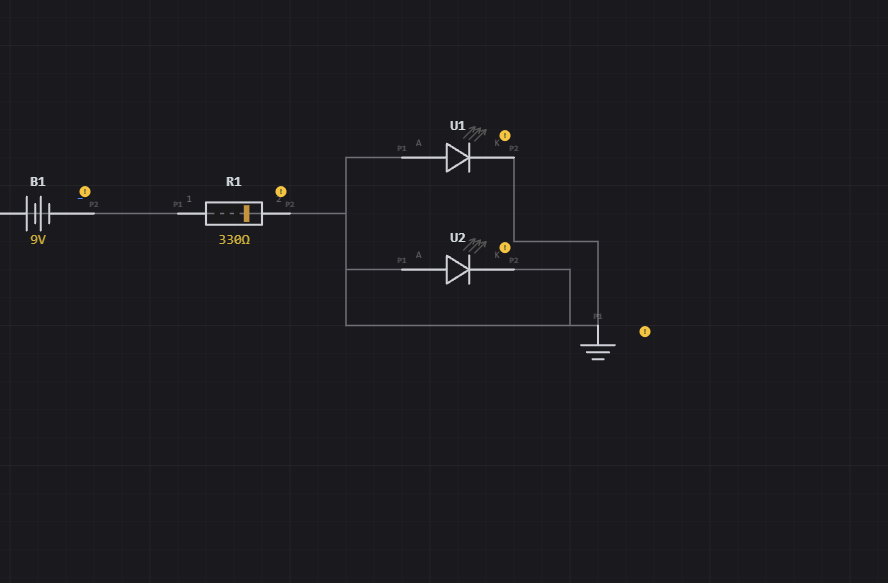
Build it for real
To build this project for real, get the parts from hobidevre.com → hobidevre.com →
More build guides: hobidevre.com/blog
Read the first error, not the last
Compilers report symptoms in order. One missing closing brace can produce dozens of follow-on messages, so working from the bottom wastes time. Fix the first line, save, and compile again.
Read the error text literally: it names the file and the line where the compiler noticed something was wrong, which may be one line after the actual mistake.
Semicolons and braces
Every statement ends with a semicolon, and every opening brace needs a matching closing brace. Count them if the message mentions an expected token.
Check the line just above the reported position. A function that is not closed correctly makes everything below it look wrong to the compiler.
Undeclared names and look-alike characters
A variable must be declared before use, and names are case-sensitive. A capital letter where a small one belongs is a common typo.
Be alert for look-alike characters: a Turkish dotted capital I is not the same as the ASCII letter I, and a stray similar-looking character can sit invisibly in an identifier. Retype the name by hand to clear it.
Select the correct board
The board setting tells the compiler which chip and pin mapping to target. Code written for one board can fail on another even when the syntax is perfect.
Install the matching board package, choose the exact model, then recompile before changing any code.
Missing or wrong library
If the compiler cannot find a header file, the library is not installed or its name is misspelled. Install it through the library manager and restart the IDE.
Two libraries with overlapping class names can also conflict. Remove the one you are not using.
Function order and prototypes
A function must be declared before it is called. Either move the definition above the call or add a prototype at the top of the sketch.
This often appears after a sketch is reorganised into multiple tabs, where the compiler combines files in a fixed order.
Reduce to a minimal sketch
Copy your code into a new sketch and delete everything except setup() and loop(). Add blocks back until the error returns; the last block added contains the fault.
The robot workshop uses a safe, structured parser for student code so that a typo produces a line-numbered error rather than a silent failure. The same discipline applies here: keep the error message and work from it.
Get the parts
If you want to build this project in real life, you can get the parts from hobidevre.com.
Frequently asked questions
What does "expected ; before }" mean?
A statement above that line is missing its semicolon. Check the previous line, not the one in the message.
Why did it compile yesterday?
Something changed: a library version, the selected board, or a small edit. Compare the board setting and reinstalled packages first.
Why does even a blank sketch fail?
That points to the toolchain, not your code. Reinstall the board package and check the selected board.