
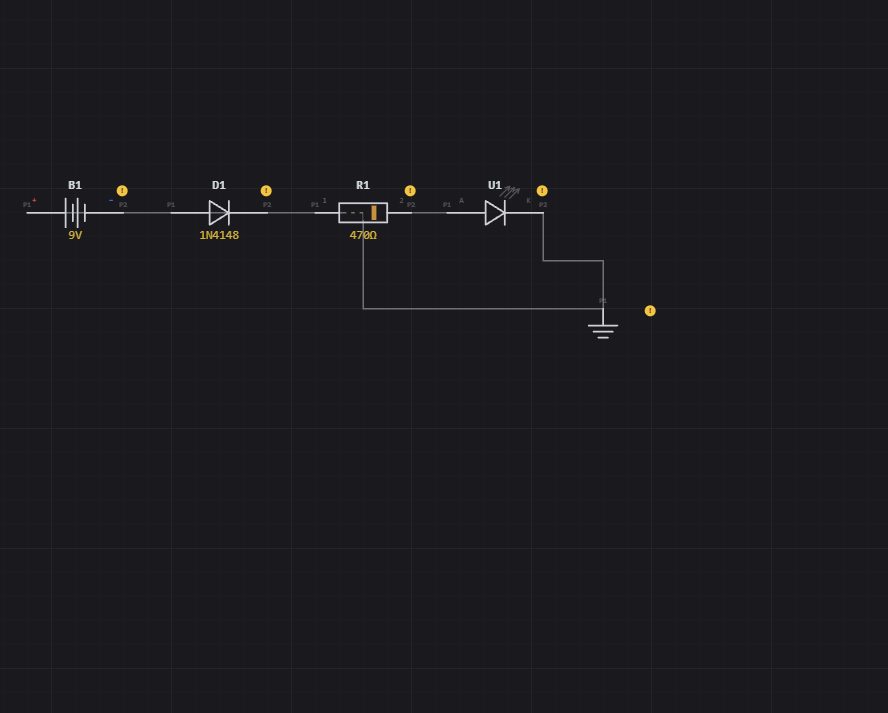
Bu projeyi gerçekten kurmak istersen parçaları hobidevre.com'dan temin edebilirsin →
Build it for real
To build this project for real, get the parts from hobidevre.com → hobidevre.com →
More build guides: hobidevre.com/blog
The digit table
Each colour stands for a digit. The sequence is worth learning in order because it repeats predictably:
- Black = 0, brown = 1, red = 2, orange = 3, yellow = 4
- Green = 5, blue = 6, violet = 7, grey = 8, white = 9
The first two bands on a four-band resistor are the digits. The third band is the multiplier: black means ×1, brown ×10, red ×100, orange ×1,000, yellow ×10,000. The fourth band is tolerance: gold means ±5%, silver ±10%, and no band ±20%.
A worked example
Take a resistor with brown, black, red, gold. Brown is 1, black is 0, so the digits are 10. Red as a multiplier is ×100. That gives 10 × 100 = 1,000 Ω, written as 1 kΩ. Gold tells you the real value may be 5% above or below that figure.
Now compare yellow, violet, brown, gold: digits 4 and 7, multiplier ×10, so 47 × 10 = 470 Ω ±5%. The same two digits with a red multiplier would be 4,700 Ω, so the multiplier band makes a large difference.
Four bands versus five
A five-band resistor adds a third digit before the multiplier, which allows tighter values. For brown, black, black, brown, brown, the digits are 100, the multiplier is ×10 and the last brown band is ±1% tolerance. The result is again 1,000 Ω, but with a much narrower tolerance than the four-band version.
Precision resistors often print the value directly (for example "1001" means 1,000 Ω). If text is present, trust the print over the stripes.
Finding the reading direction
Start from the band closest to one end. Gold and silver appear only as tolerance bands, so their position marks the right-hand end. There is also usually a slightly larger gap before the tolerance band. If the colours look ambiguous under warm light, move to daylight or use a phone camera: brown and red are the pair most often confused.
Gold and silver are never digits. If a "gold" stripe appears to be the first band, you are almost certainly reading the resistor from the wrong side.
Choosing the value you actually need
Values follow standard series such as E12 and E24, which is why you see 220 Ω, 330 Ω, 1 kΩ and 10 kΩ far more often than 237 Ω. Pick the nearest standard value that keeps current within safe limits.
For an indicator LED on a 5 V supply with roughly 2 V across the LED, a 150 Ω resistor would set the current near 20 mA. Choosing 220 Ω gives about 14 mA: slightly dimmer, but with useful margin. In both cases the resistor dissipates well under a quarter watt, so an ordinary 1/4 W part is fine.
When the marking is unreadable, measure with a multimeter in resistance mode. Never measure resistance in a live circuit — disconnect power first.
Common mistakes
- Reading from the wrong end and treating the tolerance band as a digit.
- Mixing up brown (1) and red (2) under poor lighting.
- Forgetting the multiplier, so 1 kΩ is read as 10 Ω.
- Assuming tolerance is exact: a ±5% 1 kΩ part may measure anywhere from 950 to 1,050 Ω.
Get the parts
If you want to build this project in real life, you can get the parts from hobidevre.com.
Frequently asked questions
What does gold mean on a resistor?
It is a ±5% tolerance band, not a digit. Its position also shows which end to start reading from.
Can I replace 1 kΩ with 1.1 kΩ?
Usually yes for an indicator or pull-up role. Check the circuit tolerance and recalculate any timing or current that depends on the value.
How do I check without reading the bands?
Use a multimeter on the resistance range with the circuit powered off.